


A gamified savings app works by making progress visible and rewarding every deposit, so saving stops feeling like deprivation and starts feeling like a game you’re winning. I built Emergency Fund Aquarium to do this for the money I found hardest to save. You set a goal, log each deposit you make at your own bank, the water rises, and a new sea creature swims into your tank.
Quick disclosure before we go further: Emergency Fund Aquarium is mine. I built it and I run it. The core app is free, and there’s a Pro tier I’ll get to. And one thing up front, because it matters with money apps: your money never touches the app. It stays at your bank. You log deposits, the aquarium keeps score.
My emergency fund was a blob
I gamify my life. It’s a theme. If something needs doing and it’s boring, I turn it into a game so I’ll actually do it. That’s the same reason I built Dopamine Dealer, which does it for daily habits instead of money.
Saving an emergency fund was the boring thing I kept not doing, and I eventually figured out why. My emergency fund wasn’t a thing at all. It was lumped into one general-savings number with everything else, so it never felt real. There was no moment where the emergency fund grew, because there was no emergency fund. There was just a blob.
So I gave it its own tank.
Log a deposit, the tank comes alive
Here’s the loop. You set a target for the fund, and every time you move money into it at your bank, you log the deposit in the app. The water rises toward your goal, and a new creature swims in.
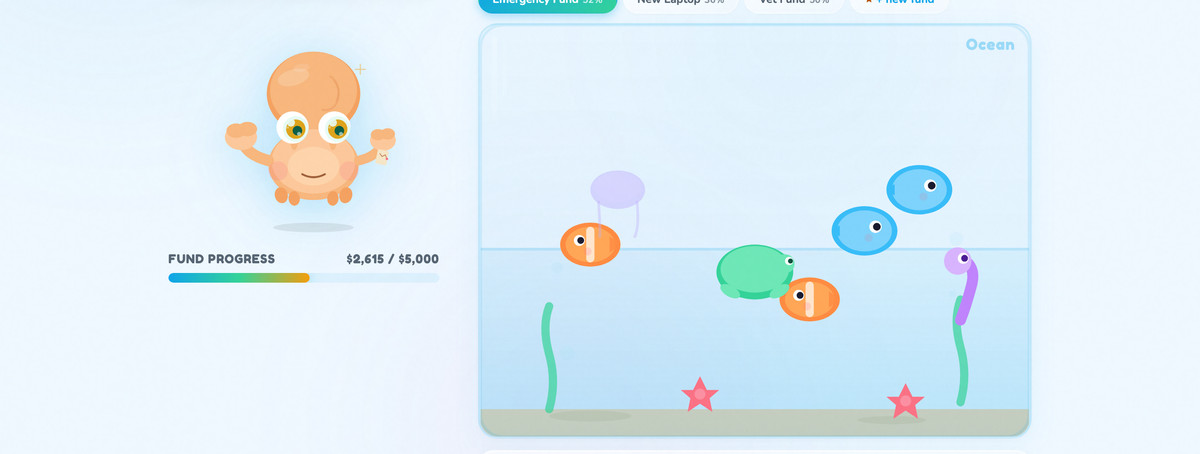
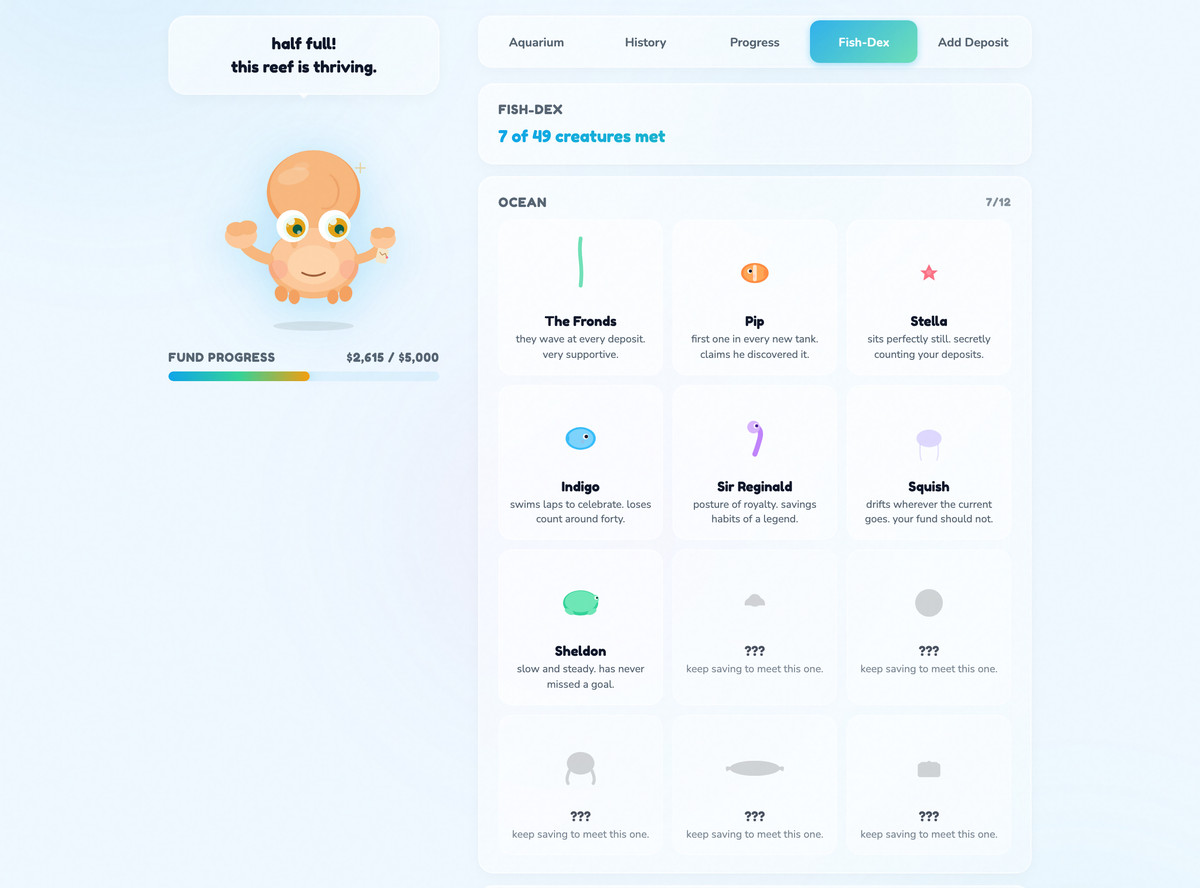
About the creatures. They crack me up. They’re hilariously bad, and I left them that way on purpose because I love that about them. You’re not collecting museum-quality fish art. You’re collecting a cast of janky little weirdos, 37 of them, cataloged in a Fish-Dex that shows you which ones you haven’t met yet.
Three things keep me logging, and I’ll give you all three straight. I want to see what creature the next deposit brings in. Watching the water climb is satisfying in a way a bank balance never was, and being at 75% makes me want 100. And the app got me to do the thing I never managed before: keep the emergency fund separate, and add to it on purpose. Saving money has always been the quieter reward that loses to louder ones for me, and the tank is what finally made it loud enough to compete.
Where does the money actually live?
The fund itself sits at your own bank the whole time, ideally in a high-yield savings account so it earns something while it waits for an emergency that hopefully never comes. The app never asks for bank access. It’s a scoreboard with fish.
Pro: a tank for every sinking fund
The free app gives you one active tank, which is exactly right for the emergency fund. Pro is for the day you realize buckets fixed your saving and you want more of them.
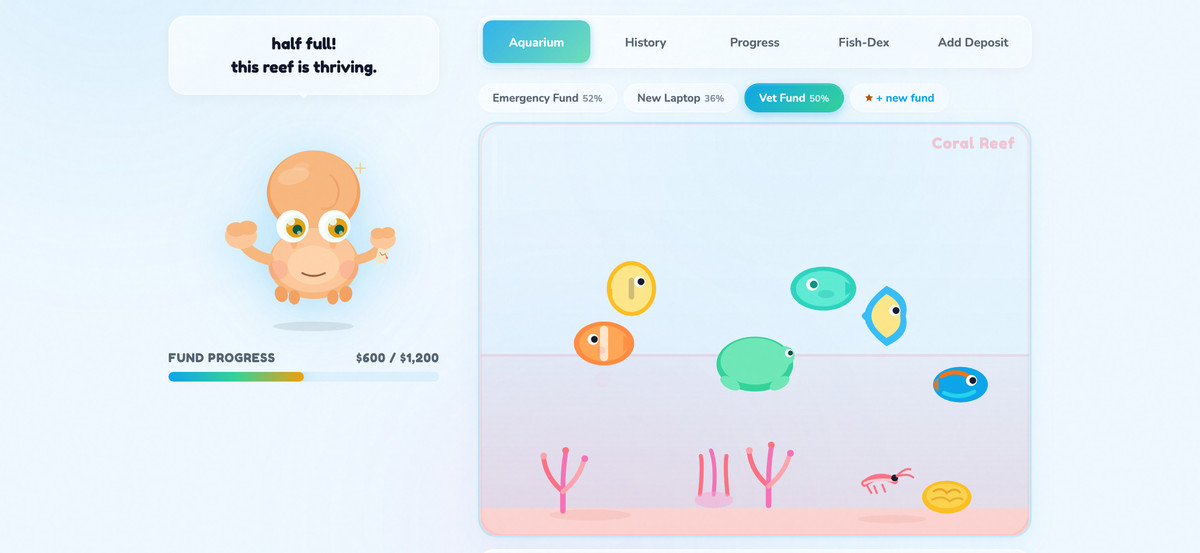
With Pro, every sinking fund gets its own tank. Car repairs, the vet fund, Christmas, the someday-vacation. Each one gets its own water level, its own goal, its own creatures. That’s the feature version of the thing I actually needed: money goals stop being one blur and become separate things you can watch fill up.
Pro also adds four more aquarium themes (Deep Sea, Lake, Coral Reef, and Arctic, on top of the free Ocean and Tropical), and recap emails so your progress comes to you. One Pro covers all five of my apps.
What I’d flag before you try it
It doesn’t hold or move your money. I said it up top as reassurance, and it belongs here as a caveat too: this is a tracker. It can’t automate transfers or round up purchases. You do the saving, at your bank.
The tank is only as real as your logs. Log deposits you didn’t make and you’re decorating a pretend aquarium. It works because you keep it real.
It won’t find the money for you. The fish motivate, they don’t conjure cash. If your budget has no room, this makes the saving you CAN do more fun to stick with. It doesn’t create room. If finding the room is the real problem, I built Side Hustle Garden for that side of it, tracking side income as it grows.
Who is a gamified savings app for?
This is for people who know they should have an emergency fund, keep starting one inside their general savings, and keep losing track of it. If watching a number in a banking app does nothing for your brain, but a rising water line and a new funky fishy does, you’re my people. Sinking-funds and cash-envelope types who want buckets they can see will feel at home here too.
What does Emergency Fund Aquarium cost?
| Plan | What you get |
|---|---|
| Free | One active savings tank, deposit logging, the rising water, the creatures and Fish-Dex, Ocean and Tropical themes. |
| App Hub Pro, $7/month or $59/year | Unlimited tanks (a bucket for every sinking fund), the Deep Sea, Lake, Coral Reef, and Arctic themes, and recap emails. One Pro covers all five of my apps. |
Start your tank
A gamified savings app fixes the part I kept getting wrong: it makes the emergency fund a separate thing you can watch fill, instead of a number hiding inside general savings.
Set your emergency fund goal, log your first deposit, and meet your first terrible little fish. Free, no card needed, and your money stays at your bank where it belongs.
Emergency Fund Aquarium is part of my App Hub, where the rest of my little apps live. If you want more of my origin-story builds, here’s another tool I built to fix a problem I kept hitting, its money-gamifying sibling the Bill Payoff Tracker, and the rest live in Digital Products.
FAQ
What is a gamified savings app?
A savings tracker with game mechanics layered on: visible progress, rewards for deposits, collections, and goals. Emergency Fund Aquarium turns your fund into an aquarium where each logged deposit raises the water and adds a creature, so saving has a payoff you can see immediately.
Does Emergency Fund Aquarium hold my money?
No. Your money stays at your own bank and the app never asks for bank access. You log each deposit manually and the aquarium tracks your progress toward the goal. It only ever keeps score.
Is Emergency Fund Aquarium free?
Yes. One active savings tank, deposit logging, the creatures, the Fish-Dex, and two themes are free. App Hub Pro adds unlimited tanks, four more themes, and recap emails for $7 a month or $59 a year, and covers all five of my apps.
How do I keep my emergency fund separate from my savings?
Give it its own container in both places: a separate account (or clearly labeled bucket) at your bank, and a separate tracker so it has its own visible progress. The blob is what kills emergency funds. Mine only stuck once the fund became its own tank I watched fill.
Where should I keep an emergency fund?
At your own bank, in an account you can reach quickly but don’t touch daily. A high-yield savings account is a common choice because the fund earns interest while it sits. The app tracks the fund wherever you keep it.
A tool I built
Emergency Fund Aquarium
Log what you save at your own bank and watch your tank fill with creatures. Your money never moves through the app.
Start your tank →I run an affiliate program on the tools I build. Approved affiliates earn 20% on what their referrals pay, for up to a year. US only for now. See the program →