
Affiliate Disclosure: This post contains affiliate links, which means I may earn a commission if you make a purchase through links on this site, at no extra cost to you. As an Amazon Associate I earn from qualifying purchases.
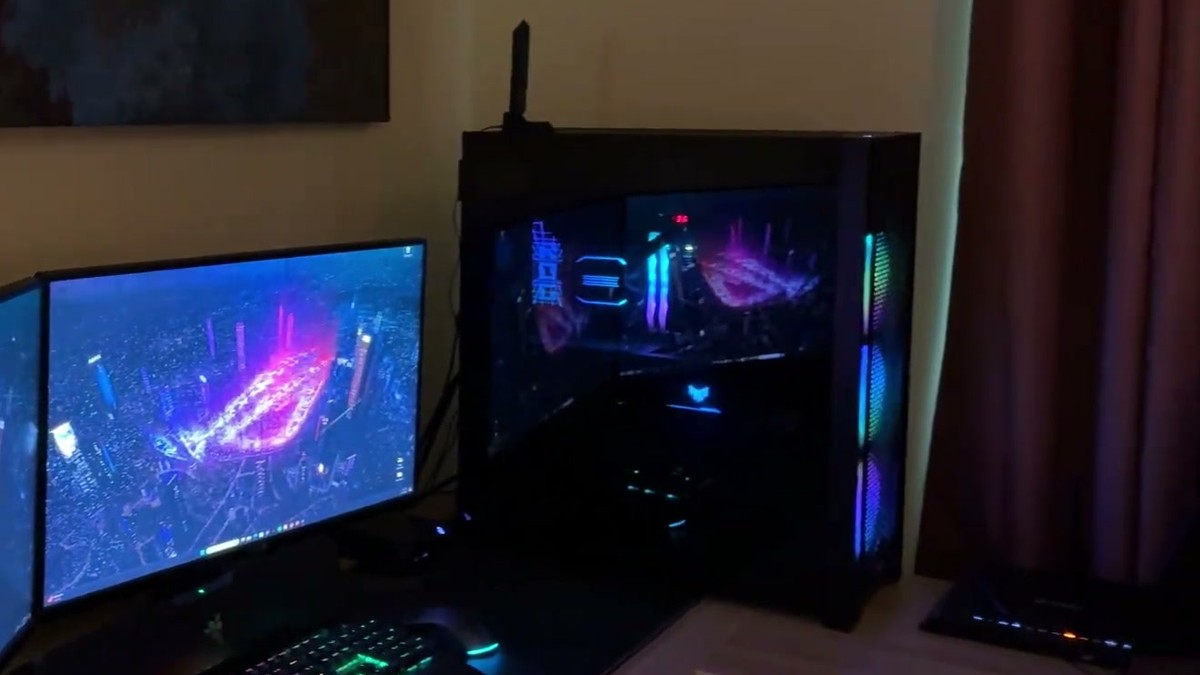
My mom’s boyfriend Ben bought the Corsair 7000D AIRFLOW for his PC build, and it’s been in use ever since. His build runs great, and he has no complaints.
It’s a full tower built around airflow. It’s modular, so you can build your system the way you want and adjust the airflow as you add parts.
Quick Verdict
- Buy it if: you want a full tower with room to add parts and airflow you can adjust as you go
- Skip it if: your desk is short on space, since this is a big, heavy case
- My favorite feature: the glass door, the cleanable filters and the modular airflow all tie
- Would I buy again? Ben has no complaints
Airflow you set up around your parts
The front is a high-airflow steel panel, and the fans behind it pull air in and push it straight at the components. There’s another fan in the back. The whole layout is customizable, so as more parts go into the build, you adjust with the airflow in mind.
Three 140mm AirGuide fans come in the box, along with a PWM repeater, and there’s room for up to three 360mm radiators if you go the liquid-cooling route.
Corsair 7000D AIRFLOW Full-Tower ATX Case
A full-tower ATX case with a high-airflow steel front and a tempered glass side panel.
Corsair 7000D AIRFLOW specs
- Case type: full tower, ATX
- Fans included: 3 x 140mm AirGuide fans, plus a PWM fan repeater
- Fan room: up to 12 x 120mm or 7 x 140mm
- Radiator room: 3 x 360mm or 2 x 420mm at the same time
- Cable management: RapidRoute channel with a cover door and 30mm behind the motherboard
- Front ports: power, 4 USB, USB-C, audio jack, reset button
- Side panel: tempered glass
- Size: 21.65 x 9.76 x 23.62 inches
- Weight: 41.2 pounds
- Color: black
Who the Corsair 7000D AIRFLOW is for
It’s for someone building a PC they plan to keep adding to, who wants room inside and airflow they can rearrange. It’s a big case, so it’s a better fit for a roomy desk or the floor next to it.
If your desk is already crowded, a clamp-on desk organizer frees up surface space, and the STARUMENT hand vacuum handles crumbs around the keyboard.
How the case opens up
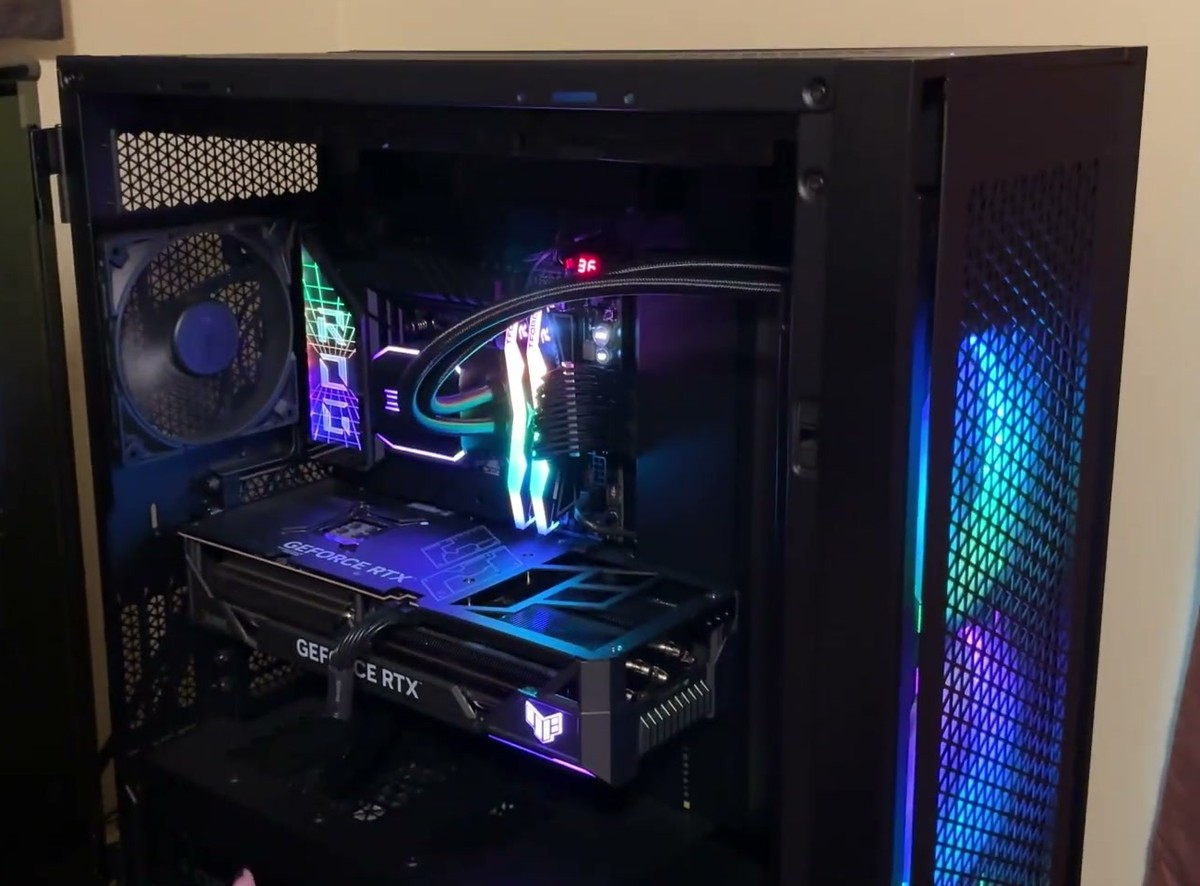
The glass side panel opens on a hinge, like a cabinet.
The top comes off easily, and it has a filter you can clean to keep dust out. The front comes off too, and its filter is magnetic, so it pops right back into place. The back opens on a hinge, with cleanable filters there as well.
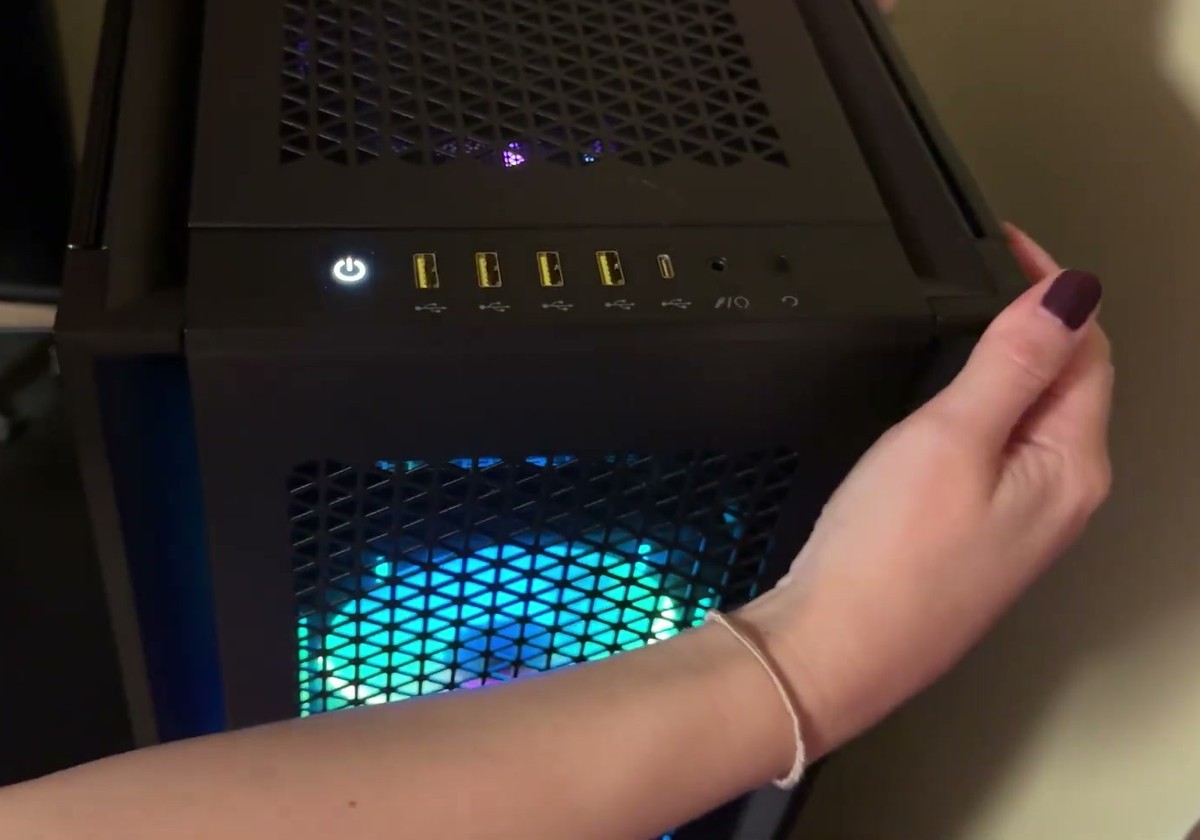
Front panel details
- Ports: four USB ports, a USB-C port and an audio jack across the top front edge.
- Buttons: power, plus a reset button.
What Ben likes about the Corsair 7000D
- The glass panel that shows off the build
- USB-C right on the front
Before you order a full tower this size
- Measure your space. It’s 23.62 inches tall and 21.65 inches deep.
- It weighs 41.2 pounds empty, so plan where it lives before you build in it.
Questions about the Corsair 7000D AIRFLOW
What size motherboard fits the Corsair 7000D AIRFLOW?
Corsair lists it as an ATX full tower. Check your board against the specs before you buy if it’s larger than ATX.
How many fans come with the Corsair 7000D AIRFLOW?
Three 140mm fans come in the box. There’s space for up to 12 120mm fans or 7 140mm fans in total.
Are the dust filters on the Corsair 7000D removable?
Yes. The top, front and back filters all come off for cleaning.
How big is the Corsair 7000D AIRFLOW?
The listing gives 21.65 x 9.76 x 23.62 inches, depth by width by height.
Other PC cases to compare
- Lian Li Lancool III: a slightly smaller mid tower with hinged glass doors like the Corsair, fine mesh panels and four 140mm fans pre-installed.
- Fractal Design North: a smaller mid tower with a real wood front over mesh, a glass side panel and two 140mm fans included. It fits a 360mm radiator up front.
My take on the Corsair 7000D AIRFLOW
It does what Ben bought it for: room to build and airflow he can adjust as the PC grows.